Overlay Game HTML
Use these logs to verify that the app and Overwolf are working correctly. Information these logs contain:
- Processes and dlls being injected into the game.
- Information regarding the windows mode
- Rendered API
- Hotkeys that are being sent and received by Overwolf.
To access the game overlay logs:
- Press the Windows Key + R, then in type
%LOCALAPPDATA%\Overwolf\Login the dialog box. This opens the path to the log files. - To identify the latest trace file, look for a file name the game title you need to analyze (e.g.,
VALORANT-Win64-Shipping_11-23-25_12-40-01.Game.html). - Open the file with your preferred text editor to view it's contents.
In this section you can see the client initializing and the users Windows OS:

This section will show which dlls are injected (Allowing you to check coexistence issues with other programs) before the render:
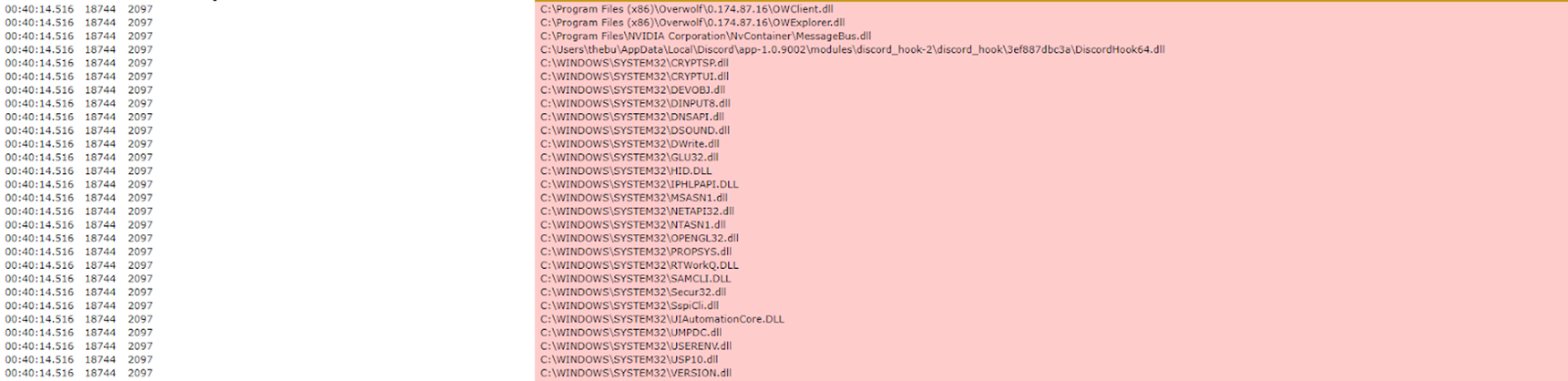
This section will show the rendered resolutions and windows mode:

This section will show the rendered API:
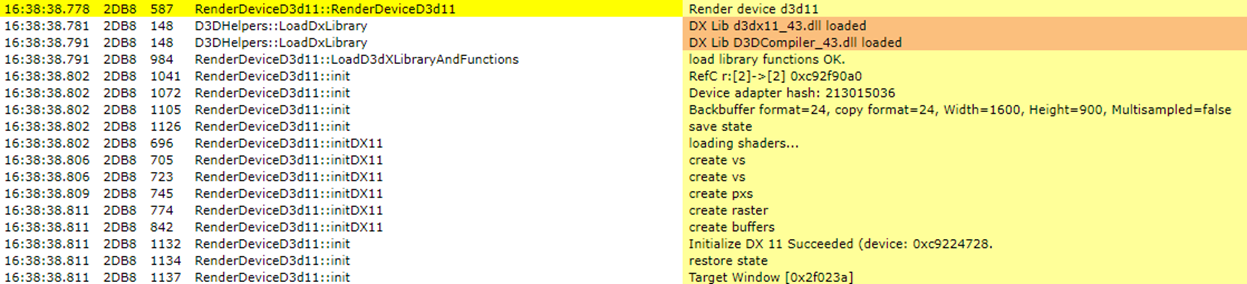
This section will show if the render was successful:

This section will show if the OBS render hook was injected:

This section shows hotkeys that were sent and received by Overwolf

This section shows that the game ended properly without crashes
